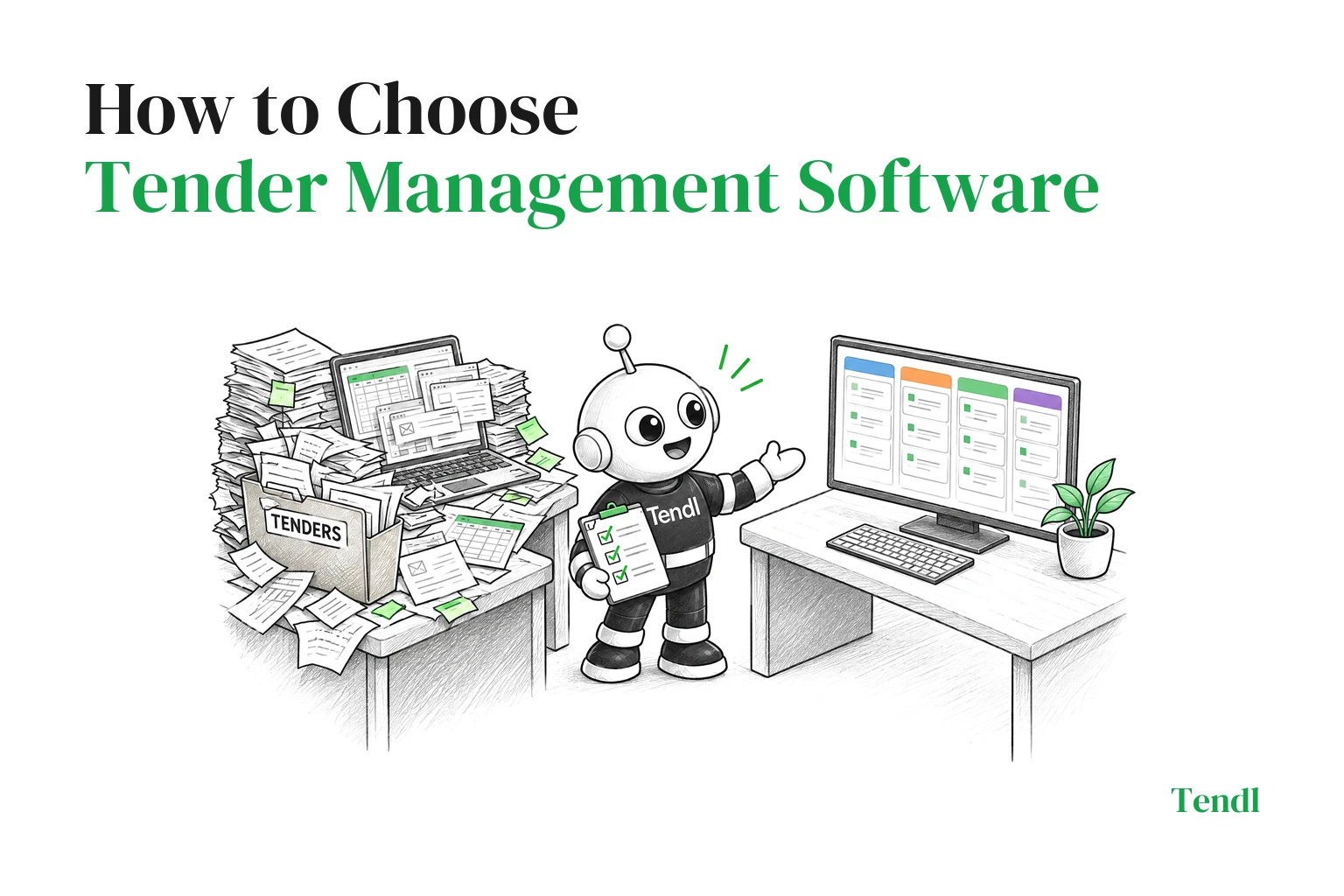
How to Choose Tender Management Software
Tender management software is a system that helps suppliers win contracts through tenders. It finds relevant opportunities, helps decide which ones to bid for, builds the response from approved content with every contributor in one place, and tracks each bid as part of a sales pipeline.
Plenty of products use the name, and they do very different jobs. Some only send alerts. Some only help you write. A few run the whole process. Choosing well starts with knowing which kind you are looking at, and then testing it against the way your team actually bids.
This guide covers what the software should do, the five kinds of tool you will come across, ten things to check before you buy, how to run a fair trial, and which kind suits your team.
What is the difference between tender software and procurement software?
Tender software helps suppliers respond to tenders. Procurement software, sometimes called bid levelling software, helps buyers and head contractors issue tenders and compare the quotes that come back. Search results mix the two, so it helps to know which side of the tender you are on.
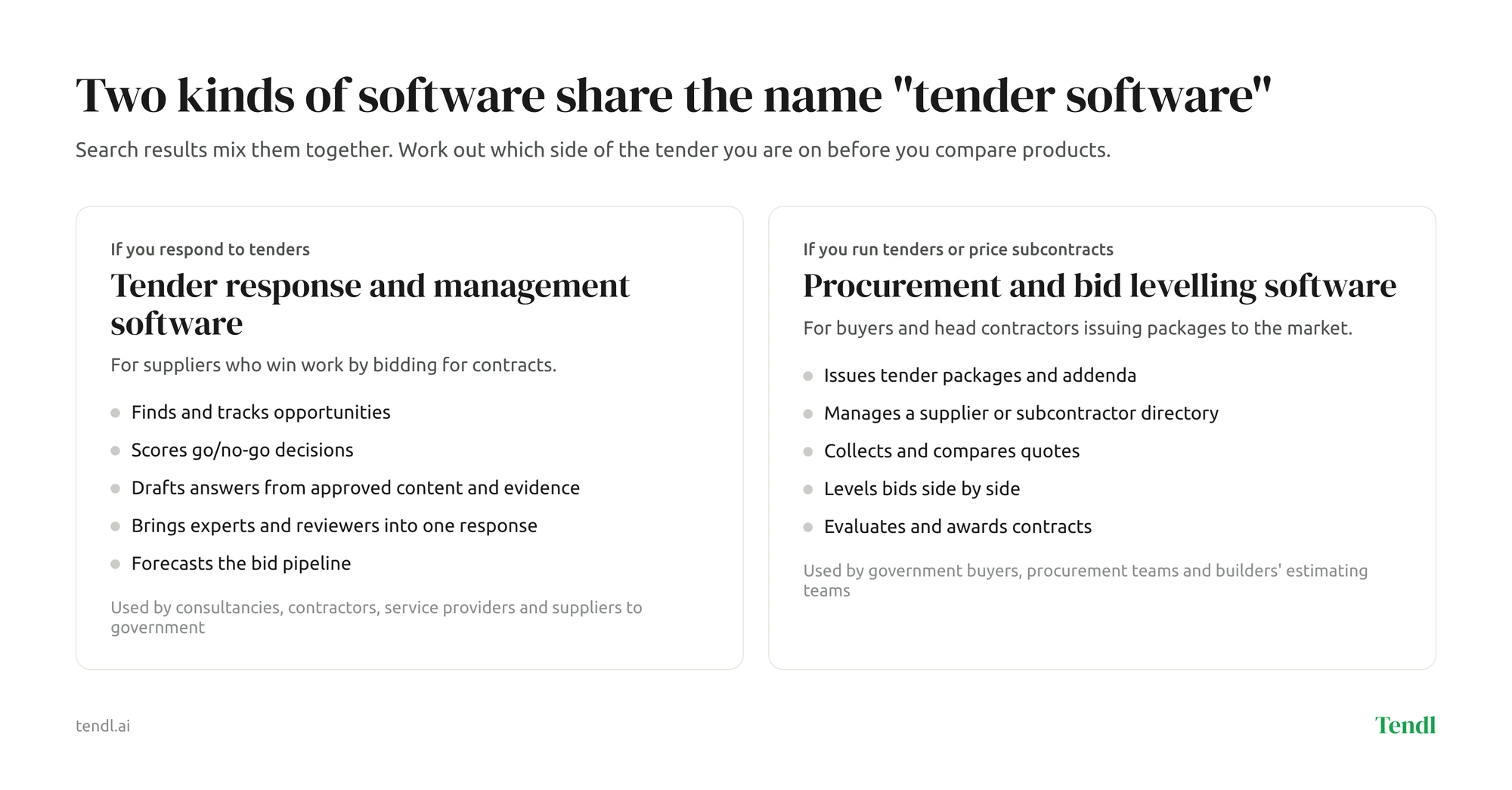
Both are useful, and they are not interchangeable. A builder’s estimating team levelling subcontractor quotes needs a different tool from a consultancy answering a government request for tender. This guide is about the first kind: software for the supplier writing the response.
What does tender management software do?
Tender management software runs the four stages of a tender in one place: discovery, qualification, response and pipeline management. A tender involves far more than writing. Someone has to find the opportunity, decide whether it is worth the effort, bring the right people together to answer it, and keep track of it after submission. Good software covers all four stages and connects them, so what you learn on one bid improves the next.
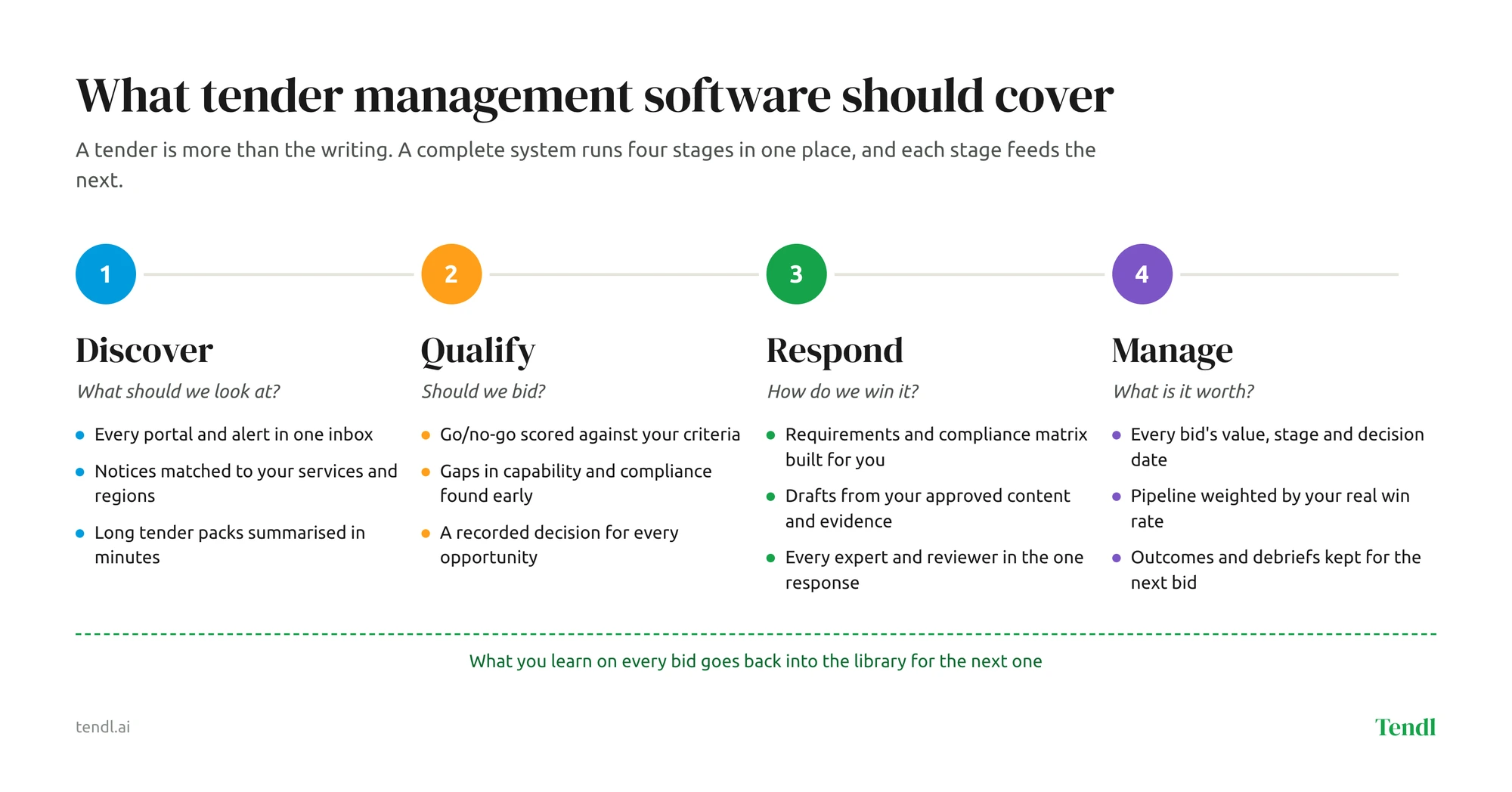
Discover. Opportunities in Australia sit across AusTender, VendorPanel, state portals such as NSW eTendering, QTenders and Buying for Victoria, council sites, panels and email alerts. The software should bring them into one place and match them to the services and regions you work in.
Qualify. Every bid costs time and money, so the decision to bid deserves a structure. The software should score each opportunity against your go/no-go criteria and keep a record of the decision. Our bid/no-bid framework explains how to set those criteria.
Respond. This is where most of the hours go. The software should break the tender into requirements, draft answers from your approved content and evidence, and bring every subject-matter expert and reviewer into the one response. For a closer look at where AI helps here, see our practical guide to using AI for tenders.
Manage. Once bids are submitted, leadership needs to see the pipeline: value, stage, likely decision date and win rate. Outcomes and debriefs should be recorded so the next response starts from what you learnt.
When do you need tender management software?
You need tender management software when spreadsheets, shared drives and email stop keeping up. That usually happens as bid volume grows or as more people get involved in each response. A handful of tenders a year can run on spreadsheets. Beyond that, the problems below start to appear.
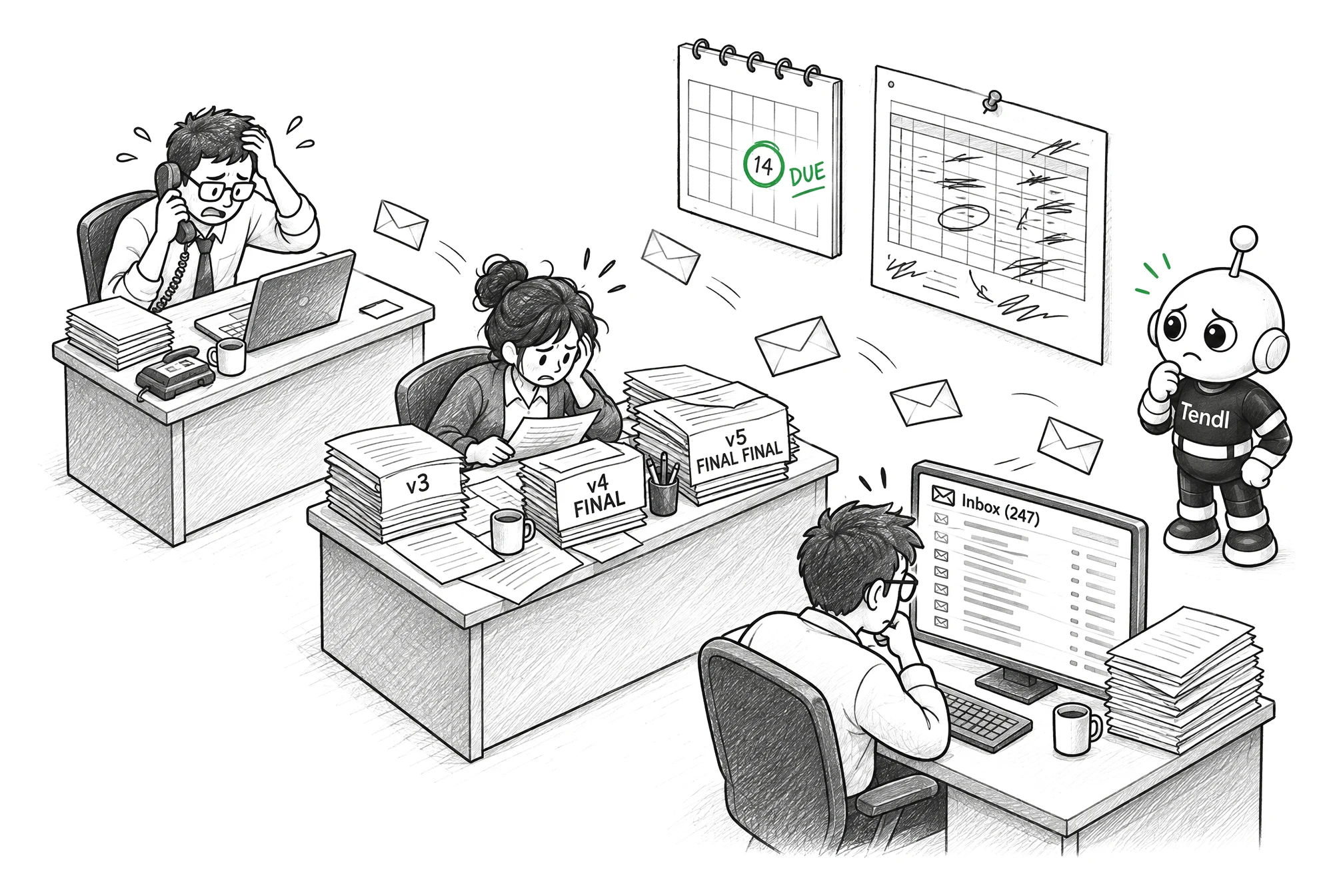
The usual signs are:
- Version confusion. Nobody is sure which copy of an answer is current, or who approved it.
- Experts chased by email. Subject-matter experts receive questions in their inbox, reply late, and their answers have to be pasted back in by hand.
- Rewriting the same answers. Strong content from past bids exists but cannot be found, so it is written again under pressure.
- Bidding on instinct. There is no consistent go/no-go process, so the team spends nights on tenders it was unlikely to win.
- No view of the pipeline. Leadership cannot see how much revenue is in play or how often you win.
If three or more of those sound familiar, a system will usually pay for itself in recovered time.
What types of tender management software are there?
Most products sold as tender software cover one stage well. Before comparing features, check which stages a tool actually runs.
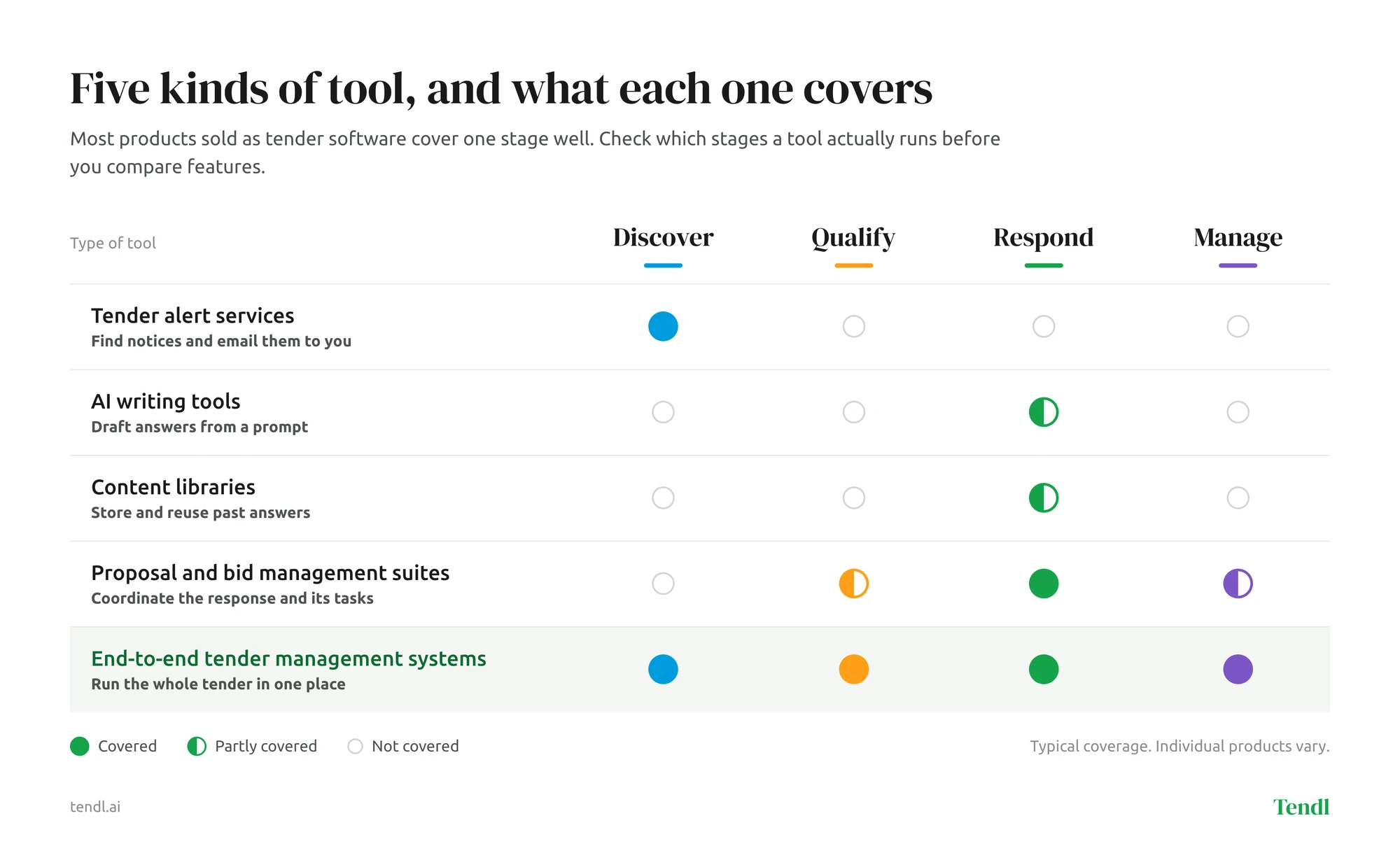
| Type of tool | What it does | Stages it usually covers |
|---|---|---|
| Tender alert services | Find notices and send them to you | Discover |
| AI writing tools | Draft answers from a prompt | Part of Respond |
| Content libraries | Store and reuse past answers | Part of Respond |
| Proposal and bid management suites | Coordinate the response, its tasks and reviews | Respond, with some Qualify and Manage |
| End-to-end tender management systems | Run the whole tender in one place | Discover, Qualify, Respond and Manage |
A combination of single-stage tools can work, but someone has to move information between them. That handover is usually where version confusion and lost approvals creep back in.
Which tender management software suits your team?
Two questions narrow the choice quickly: how many tenders you respond to each year, and how many people each response needs.
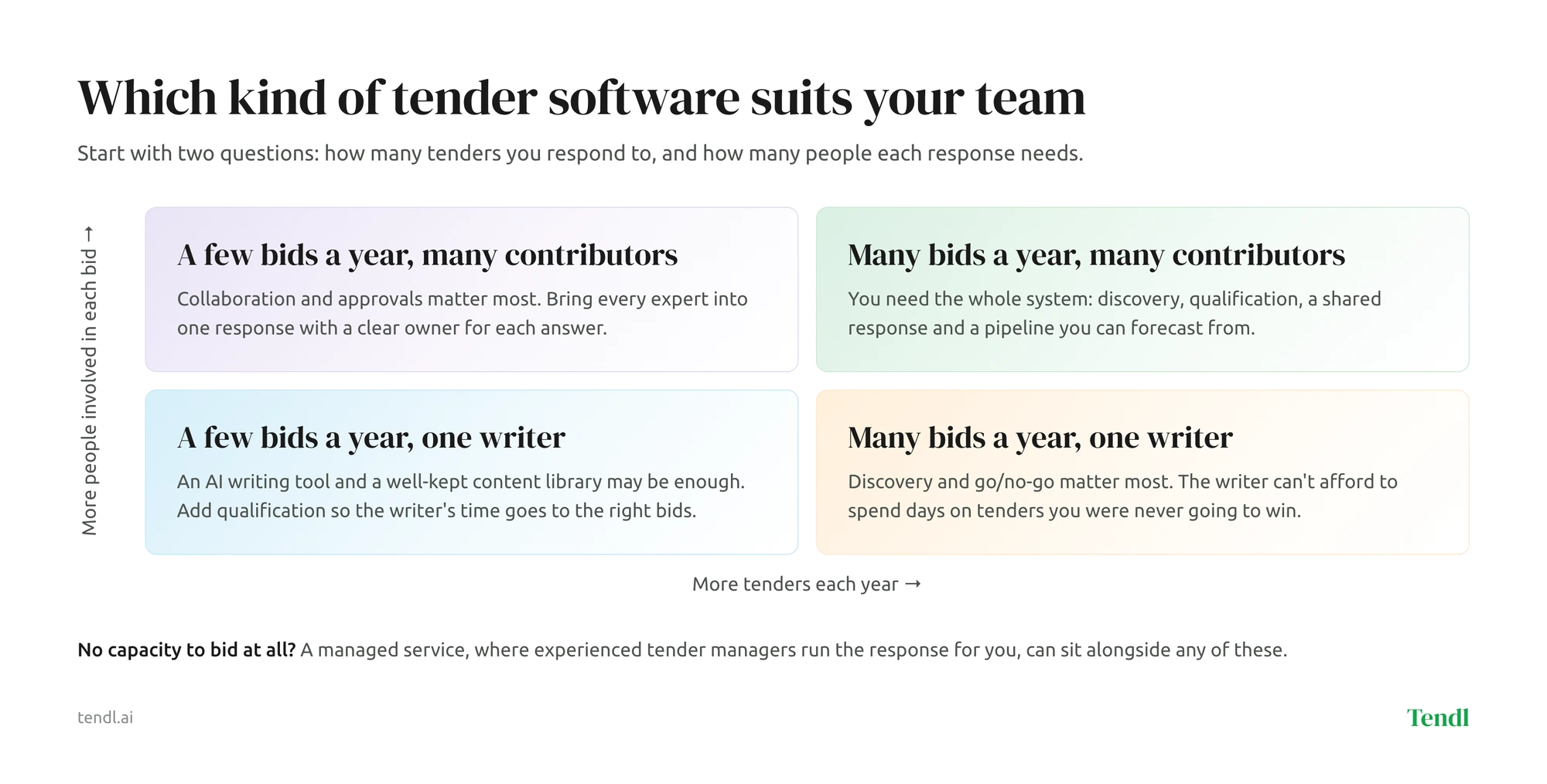
A team that submits a few bids a year with one writer may be well served by an AI writing tool and a well-kept library. A team with many contributors needs collaboration and approvals above everything else. A team that bids often, with many people involved, needs the whole system. If you have no capacity to bid at all, a managed service where experienced tender managers run the response for you can sit alongside any of these.
What should you look for in tender management software?
These are the criteria that separate tools in practice. The scorecard below turns them into a weighted score you can use across every system you assess.
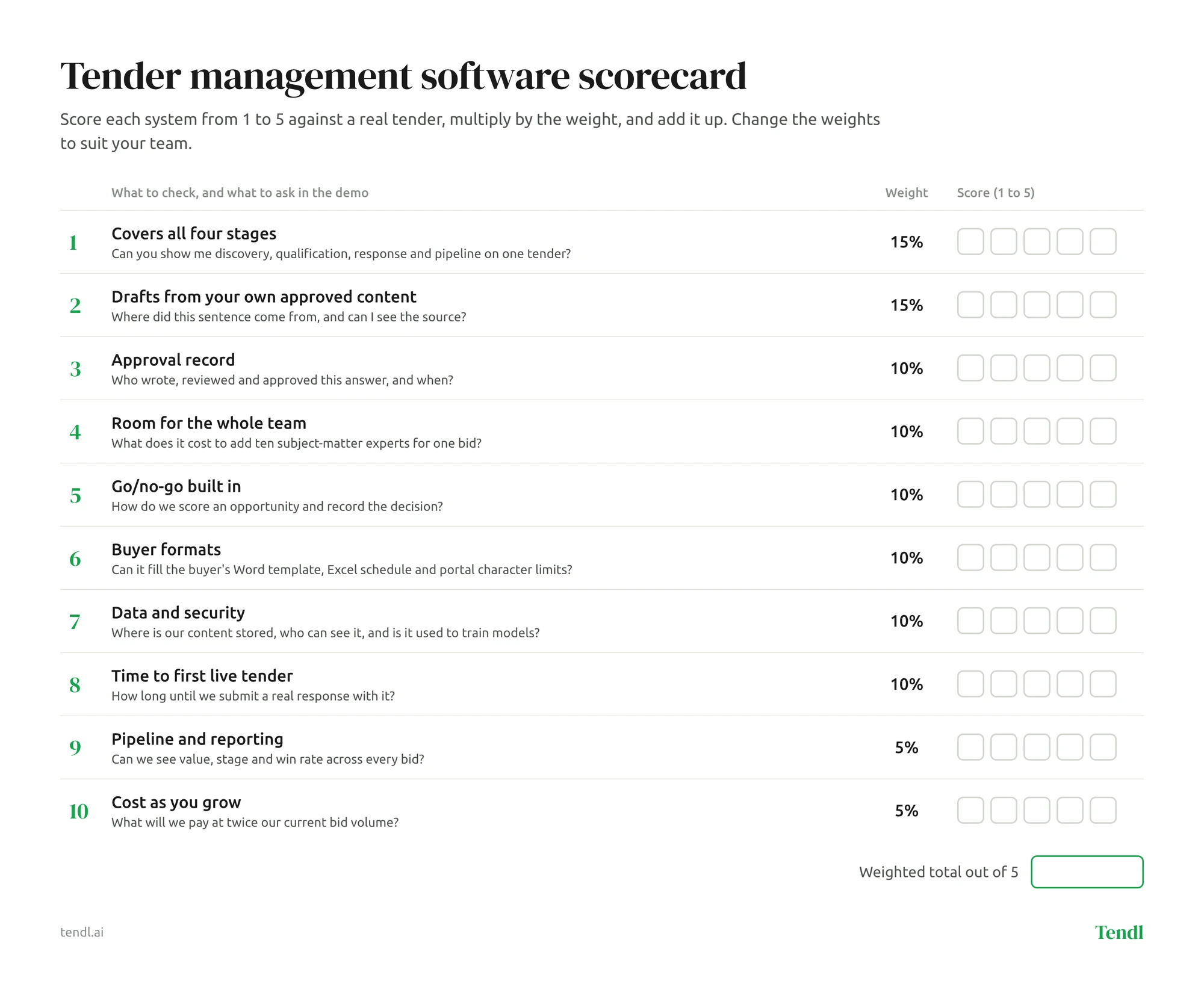
1. It covers all four stages. Ask the vendor to show discovery, qualification, response and pipeline on one tender, in one system.
2. It drafts from your own approved content. AI that writes from the open web produces confident text that is not about you. Ask where each sentence came from and whether you can see the source.
3. It keeps an approval record. Buyers increasingly ask how responses were produced, especially where AI was used. The system should record who wrote, reviewed and approved every answer.
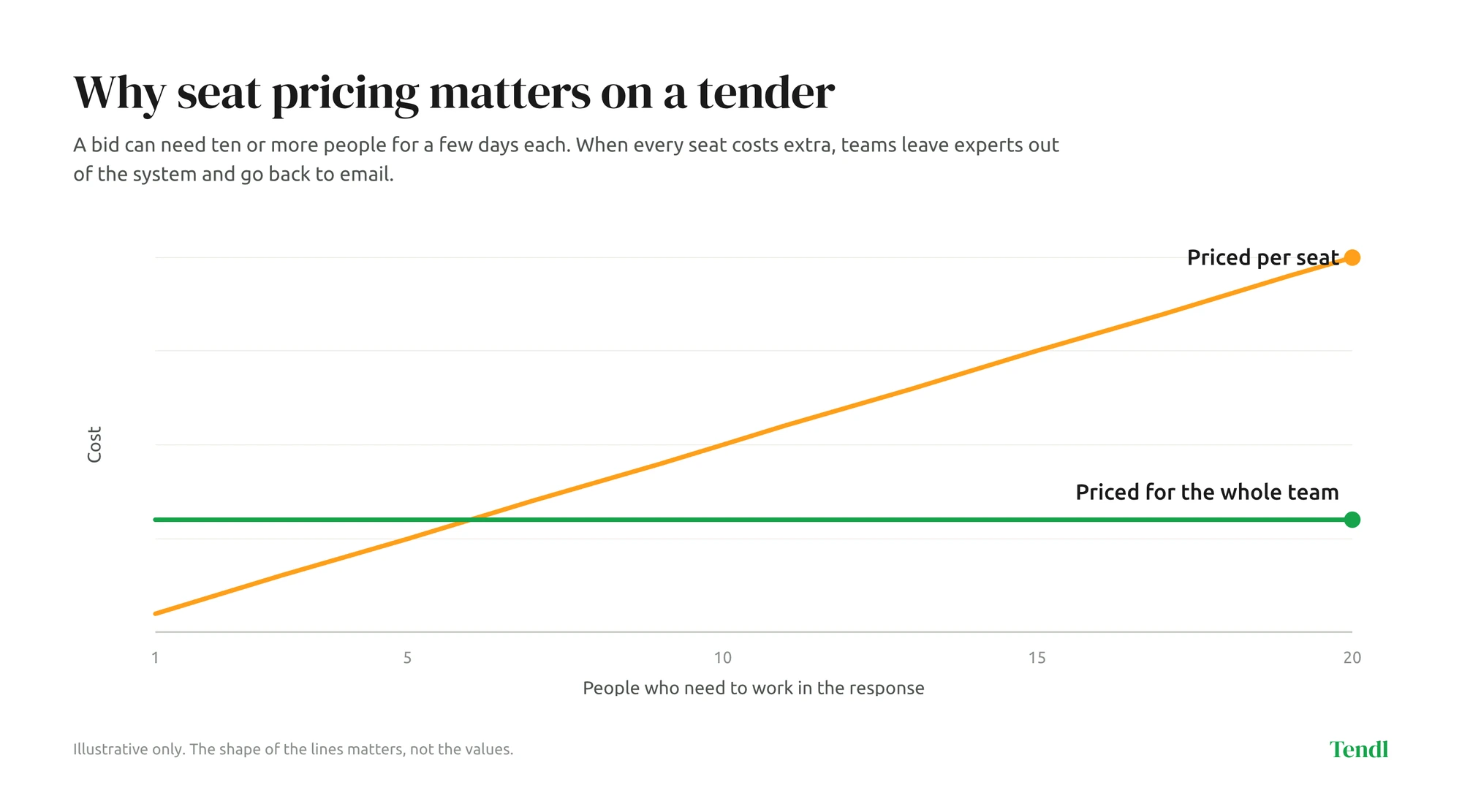
4. It has room for the whole team. A single bid can need a dozen people for a few days each: engineers, safety, finance, quality and a senior reviewer.
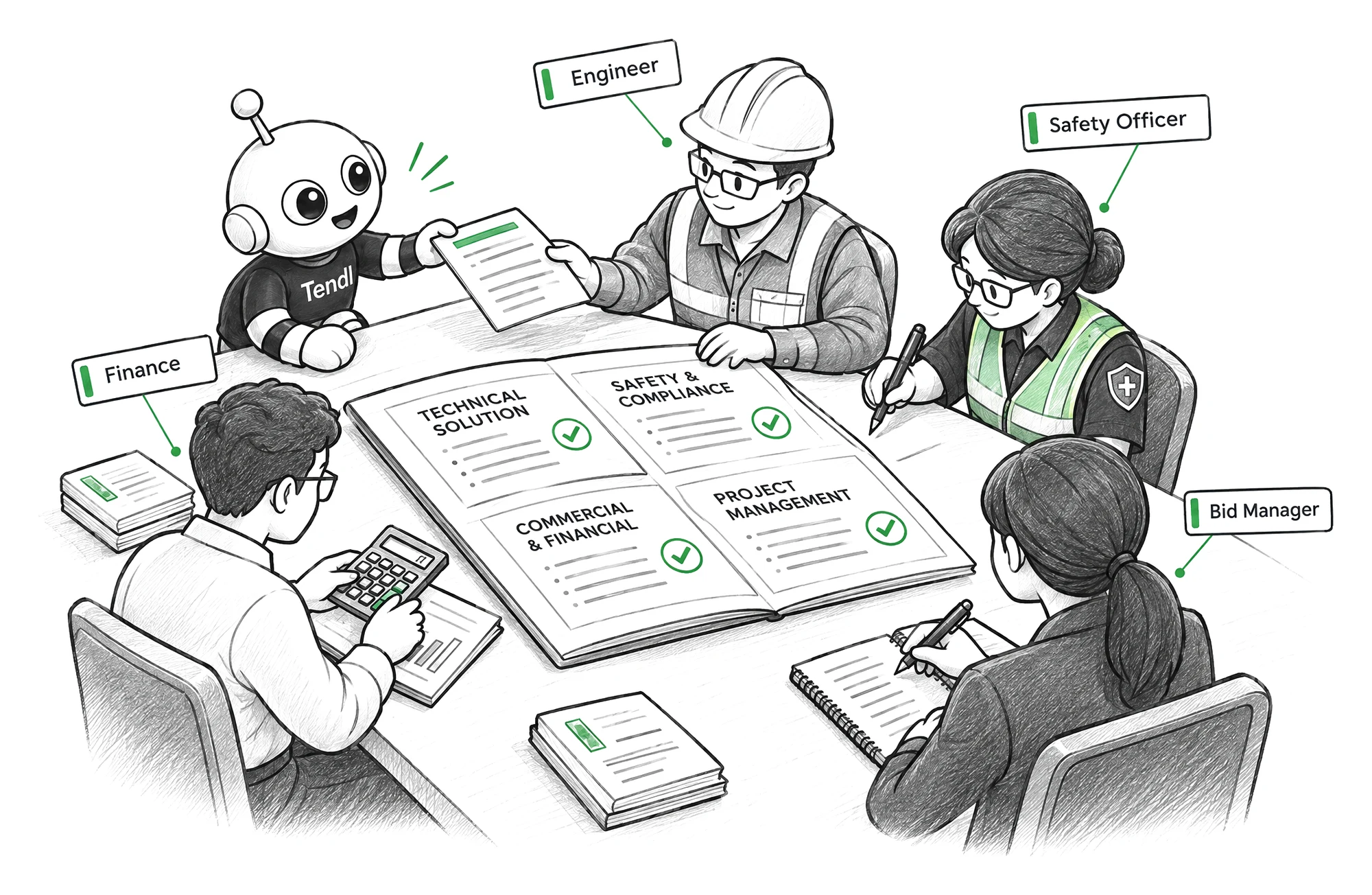
Pricing decides whether those people actually work in the system. When every seat costs extra, teams leave experts out and go back to email, which brings back the problems the software was bought to fix.
5. It builds go/no-go into the process. Qualification should happen in the system, with criteria and a recorded decision, before anyone starts writing.
6. It works with buyer formats. Tenders arrive as Word templates, Excel schedules and online portals with character limits. The software should fill the buyer’s format without breaking headings, numbering or limits.
7. It is clear about your data. Responses contain pricing, client names and staff details. Ask where content is stored and in which country, who can access it, and whether it is used to train models. For Australian suppliers working with government, onshore hosting often matters.
8. It gets you to a live tender quickly. Ask how long it takes to submit a real response, including loading your existing content. A system that needs months of setup will not help with the tender that closes next fortnight.
9. It shows the pipeline. Value, stage, decision date and win rate should be visible across every bid without a separate spreadsheet.
10. It is priced for the way you grow. Ask what you would pay at twice your current bid volume and with twice as many contributors.
How do you test tender management software before you buy?
Demos are designed to look good. The only reliable test is a real tender.
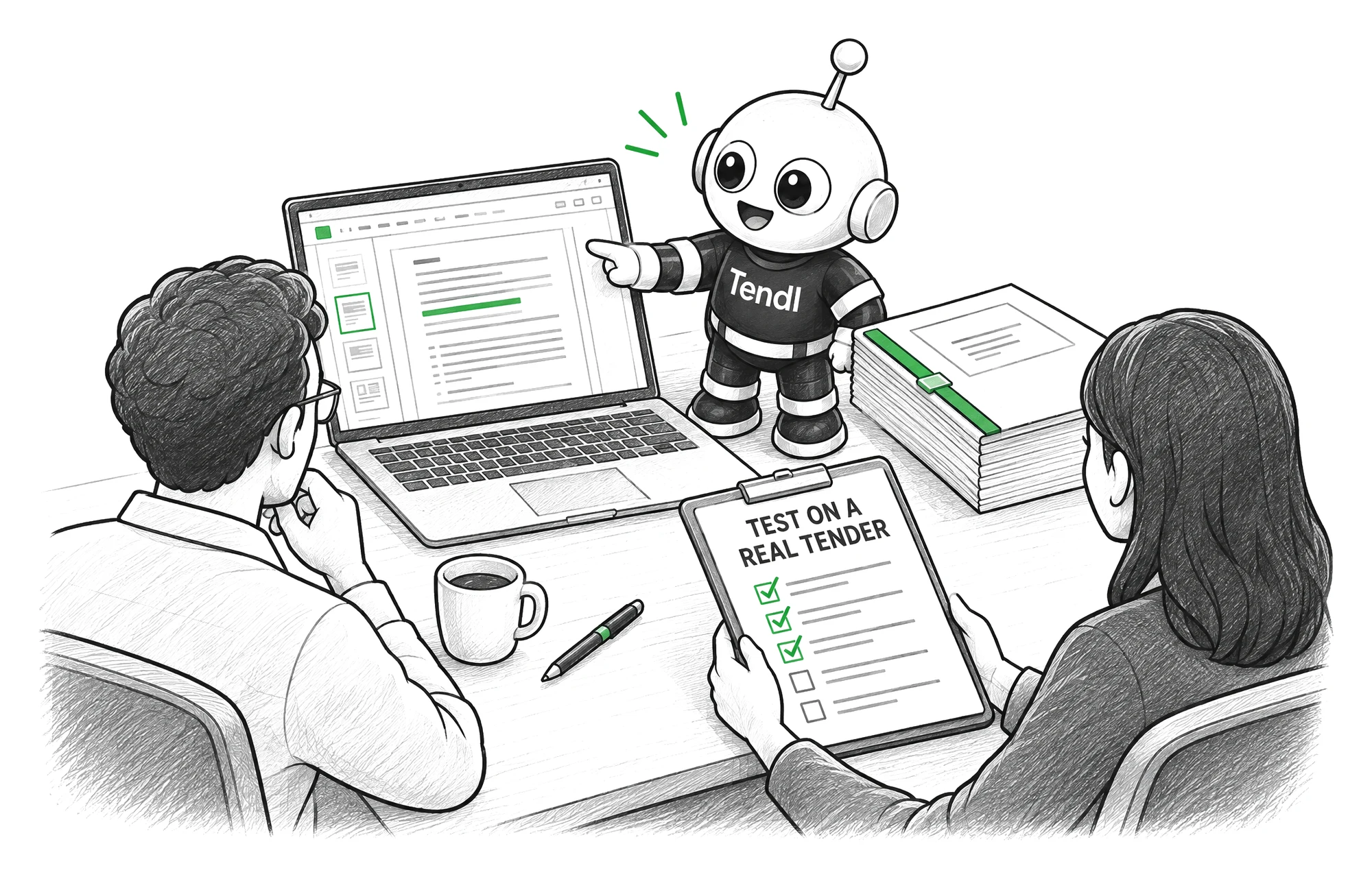
- Pick a recent tender you know well. Use one you have already submitted, so you can compare the output with your own answers.
- Load your real content. Give the system your past responses, case studies, CVs and certificates, not a vendor sample.
- Score the opportunity. Run it through the system’s go/no-go process and see whether the result matches your team’s judgement.
- Draft three hard questions. Choose ones that need specific evidence, and check every claim against its source.
- Bring in two experts and a reviewer. See how they are invited, how they edit and how approval is recorded.
- Export in the buyer’s format. Check the Word template, Excel schedule or portal limits survive intact.
- Score it. Use the scorecard above and compare systems on the same tender.
What do Australian suppliers need from tender management software?
Australian suppliers have a few extra things to check. The software should handle the main sources of opportunities: AusTender for Commonwealth work, VendorPanel, and the state portals such as NSW eTendering, QTenders, Buying for Victoria, Tenders WA and SA Tenders. It should cope with local requirements such as Indigenous procurement, local content and WHS questions. Many government buyers also expect data to stay onshore and now ask how AI was used in a response, so hosting and approval records carry more weight here than in some other markets.
Is there free tender management software?
There are free options for parts of the job. Government portals are free to search and most offer email alerts. Spreadsheets, shared drives and general AI chat tools cost little or nothing. For a team submitting a few tenders a year, that combination can be enough.
The cost shows up elsewhere: in hours spent searching, in answers rewritten from scratch, and in bids submitted that should have been declined. A useful test is to add up the hours your team spent on the last three tenders, including the ones you lost. Our bid cost calculator can help with that.
How Tendl runs tender management in one system
Tendl is a system of record for tendering. It runs all four stages in one place: it finds opportunities across your sources, scores them against your go/no-go criteria, drafts responses from your approved content and evidence, and keeps the pipeline current.
Every subject-matter expert and reviewer works in the same response with no per-seat limits, and every answer carries a record of who wrote, reviewed and approved it. AI does the reading and the first drafts, and your team makes every decision. Tendl is hosted in Australia and holds ISO 27001 certification. See pricing for plans.
If your team does not have the capacity to bid, Run For You puts experienced tender managers on the Tendl platform to run the response for you, while you keep the go/no-go call, the pricing and the sign-off.
Frequently asked questions
What is tender management software? Tender management software helps suppliers find tender opportunities, decide which to bid for, build responses from approved content with their whole team, and track bids as a sales pipeline. Some products cover only one of those stages, so check the scope before you compare features.
What is the best tender management software? The best system is the one that covers the stages where your team loses the most time, at a price that lets everyone who contributes work in it. For most teams that means discovery, qualification, collaborative drafting with an approval record, and a pipeline view in one place. Test any shortlist on a real tender using the scorecard in this guide.
What is the best tender platform? If you mean a place to find tenders, start with the official portals: AusTender for Commonwealth opportunities and the state portals for state work, plus VendorPanel for many councils and agencies. If you mean a platform to respond to tenders, look for one that runs the whole process, from discovery to the pipeline.
What is tender management? Tender management is the process of finding, qualifying, responding to and tracking tenders. Done well, it treats tendering as a sales channel, with a pipeline, a win rate and a decision on every opportunity. We cover this in Tender management is sales.
What does a tendering manager do? A tender or bid manager runs the response. They decide with leadership which tenders to pursue, plan the response, assign questions to subject-matter experts, shape the win themes, manage reviews and make sure the submission is compliant and on time.
How much does tender management software cost? Pricing varies widely. Some tools charge per user, which can become expensive when a bid needs many contributors. Others price by usage or volume. Ask what you would pay at your current volume and at twice that, with every contributor included.
Is tender management software the same as procurement software? No. Procurement software is used by buyers to issue tenders and evaluate responses. Tender management software is used by suppliers to win them. Some construction tools sit in between, helping head contractors issue packages and compare subcontractor quotes.